

SENCLUB / GETTING STARTED
Your first SenCLUB space: a practical guide
Make the first goal small: choose a room, make a few changes, save it and reopen it to check. Explore more tools once that path feels familiar.
Updated 9 October 2026 · Screenshots: mainland China web app
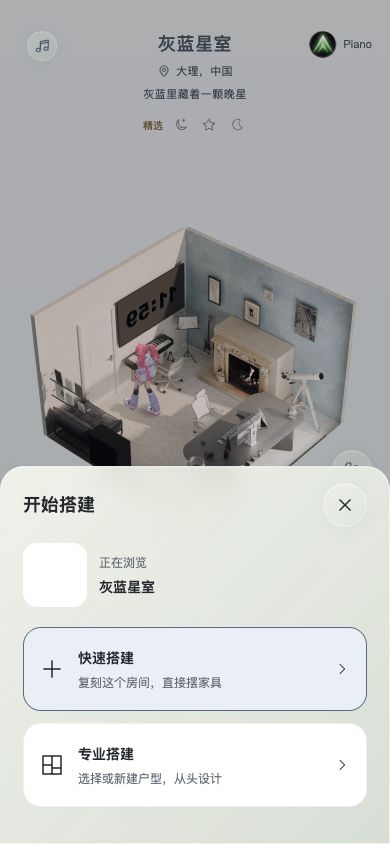
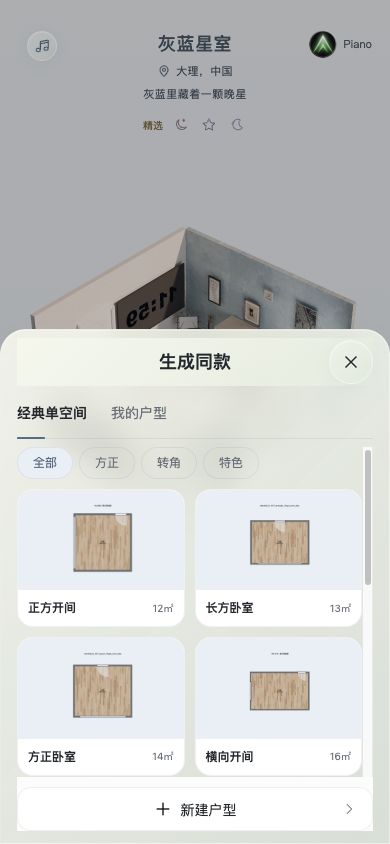
1. Open the web app and explore a room
Use the experience link on this website. It opens the mainland China web app. Start with a public example, inspect it from different angles and compare day and night. Sign in when an action requires an account.
2. Choose a build path and floor plan
Tap the plus button to open “开始搭建”. Consider quick build to start from the current room, or professional build to begin with a floor plan.
Choose a classic single room, an existing plan or the new-plan entry available in the interface. Check that the room suits your idea before continuing. If source data or a service is unavailable, avoid repeatedly submitting the same action.
3. Make one or two changes first
Once you are in an editable space, select an object, check the active tool and make a small arrangement change. Review the scene and status before the next action.
Editing and viewing are different states. Roaming or changing the lighting in a public room does not mean that a personal, saveable copy has been created.
4. Save, return and reopen
Use the editor’s save control and name the work if prompted. Read the save and sync status, return to “我的” (My), then reopen the work and check your key changes.
If syncing is still in progress or saving failed, resolve that status first. Returning to a list alone does not confirm a cloud save; avoid clearing browser data while work is pending.
5. Check what you are sharing
For a public room, use the sharing methods offered by its share control. For new work of your own, saving and publishing are separate steps: check the work’s status before publishing or generating a link.
Sharing, publishing and opening links outside the app are still being improved across platforms. If an option is unavailable, keep the draft and wait for an explicit successful result before sending a link.